
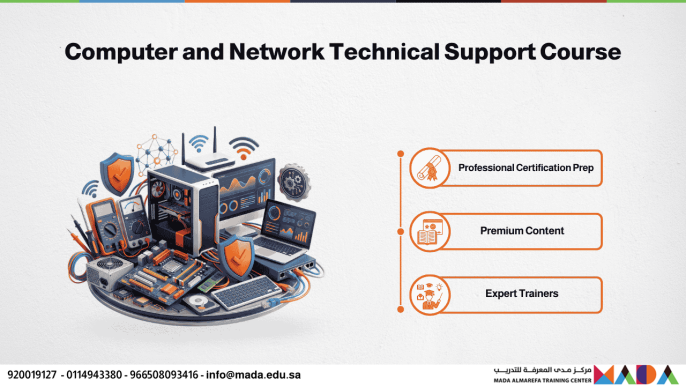
Technical support and systems maintenance skills form the essential backbone for the stable operation of information technology infrastructures across all sectors. This training course delivers a comprehensive and hands-on exploration of the official curriculum certified by the Cisco Networking Academy (Cisco IT Essentials 8.x), qualifying candidates for the Cisco IT Essentials Exam. It covers PC hardware assembly and maintenance, operating systems administration, configuration and security of wired and wireless networks, mobile device and printer support, as well as the implementation of standard cybersecurity measures to safeguard data and endpoints.
Important Notice: Upon completing the training course, trainees receive an attendance certificate issued by the center. The course aims to qualify trainees to pass the international Cisco IT Essentials Exam by thoroughly covering the official approved curriculum and preparing them to earn the IT Essentials certification. Please note that the center’s role is strictly limited to providing training and qualification; it is not an accredited testing center or authorized to administer examinations or grant international certificates on behalf of the Cisco Networking Academy (Cisco), as examination and certification procedures are governed exclusively by the certifying body. Furthermore, after completing the curriculum, you can practice solving official exam questions via the IT Essentials Exam Preparation Course for the Cisco Networking Academy (Cisco) IT Essentials Certification.
Course Objectives
- Establish a deep theoretical and practical understanding of computer hardware components, motherboard architectures, processors, and modern storage technologies.
- Enable participants to install, configure, and update operating systems (Windows, Linux), as well as manage user permissions and file systems.
- Explain local area network (LAN) configuration fundamentals, logical IP addressing (IPv4/IPv6), and the setup of routers and wireless access points.
- Apply the standard 6-step troubleshooting methodology to diagnose, isolate, and resolve technical issues efficiently.
- Strengthen practical skills in servicing mobile devices and printers, and integrating Internet of Things (IoT) devices into office environments.
- Master endpoint cybersecurity measures, system hardening techniques, backup policies, and occupational safety protocols.
Detailed Course Content
Module 1: Hardware Components & Assembly
- Chassis & Power Supplies: Computer case form factors, power supply wattage calculations, and Electrostatic Discharge (ESD) safety procedures.
- Motherboards & CPUs: CPU socket architectures, chipsets, cooling systems, and BIOS/UEFI firmware configuration.
- RAM & Storage Technologies: DDR4/DDR5 memory modules, hard disk drives (HDDs), NVMe/SSDs, and RAID array configurations.
- Expansion Cards & I/O Ports: PCIe expansion slots, display interfaces, and peripheral connections (USB-C & Thunderbolt).
- Hands-on Practice & Assessment: Practical lab on assembling and disassembling a desktop computer and updating motherboard firmware settings.
Module 2: Operating Systems Management
- Windows Installation & Upgrades: System hardware requirements, clean installations, upgrade paths, and device driver configurations.
- Disk & File System Management: Partitioning schemes (GPT/MBR), file systems (NTFS/FAT32), and managing storage pool allocations.
- Command-Line Interface & Administrative Tools: Utilizing Command Prompt (CMD) and PowerShell, managing system services, processes, and Task Manager.
- Virtualization & Cloud Concepts: Configuring client-side virtual machines via Client Hyper-V and understanding cloud computing service models.
- Hands-on Practice & Assessment: Practical workshop on creating and configuring a full virtual machine, installing an operating system, and managing user privileges and folder permissions.
Module 3: Networking Principles & Configuration
- Networking Concepts & IP Addressing: IPv4 address classes, subnet masks, default gateways, and IPv6 fundamental concepts.
- Network Devices & Cabling: Twisted-pair Ethernet cabling, fiber optics, network switches, and routers.
- Wireless Networking & Security: Wi-Fi standards (Wi-Fi 6/7), broadcast frequencies, and wireless encryption protocols (WPA2/WPA3).
- Network Services & Protocols: Core network protocols and services including DHCP, DNS, HTTP/HTTPS, FTP, SSH, and RDP.
- Hands-on Practice & Assessment: Connecting and configuring a small office/home office (SOHO) wireless router, DHCP IP pools, and security policies.
Module 4: Laptops, Mobile Devices & Printers
- Laptop Hardware Servicing: Replacing display panels, keyboards, and battery units, alongside upgrading RAM and internal storage.
- Mobile Operating Systems: Administering and securing Android and iOS devices, configuring synchronization, and implementing backup routines.
- IoT Devices & Smart Technology: Connecting, provisioning, and securing smart sensors and office IoT devices across the local network.
- Printers & Scanners Configuration: Laser, inkjet, thermal, and multifunction printers, network print sharing, and consumable maintenance.
- Hands-on Practice & Assessment: Disassembling and servicing laptop hardware, setting up a shared network printer, and diagnosing paper feed or print quality issues.
Module 5: Security & Troubleshooting Theory
- Security Threats & Social Engineering: Malware, viruses, ransomware, phishing schemes, and social engineering attack vectors.
- Security Hardening & Best Practices: Host-based firewalls, anti-malware tools, software patching, and Multi-Factor Authentication (MFA).
- The 6-Step Troubleshooting Process: Identifying the problem, establishing a theory of probable cause, testing the theory, establishing a plan of action, verifying full system functionality, and documenting findings.
- Operational Procedures & Professional Ethics: Professional customer communication, data privacy protection, incident response, and technical documentation.
- Hands-on Practice & Assessment: Practical simulation resolving complex hardware and operating system troubleshooting scenarios using the standard Cisco diagnostic methodology.
Target Audience
- Aspiring IT Support Specialists seeking to launch a professional career in technical support and systems administration.
- Help Desk Technicians and computer repair technicians aiming to formalize and validate their experience through globally recognized methodologies.
- Computer Science, IT, and Telecommunications graduates seeking hands-on qualification for the modern job market.
- Candidates preparing for international certification exams such as CompTIA A+ (Core 1 & Core 2).
- Computer lab technicians and IT maintenance officers in corporate, educational, and government organizations.
This course provides you with the comprehensive knowledge and practical skills required to manage enterprise IT infrastructure with confidence—from hardware servicing and system administration to network security and resolving complex real-world technical issues.

